Real Estate Photo Editing: What’s Fair for Rental Listings?

By Boyd Minnebo
Published November 18, 2026 · 6 min read
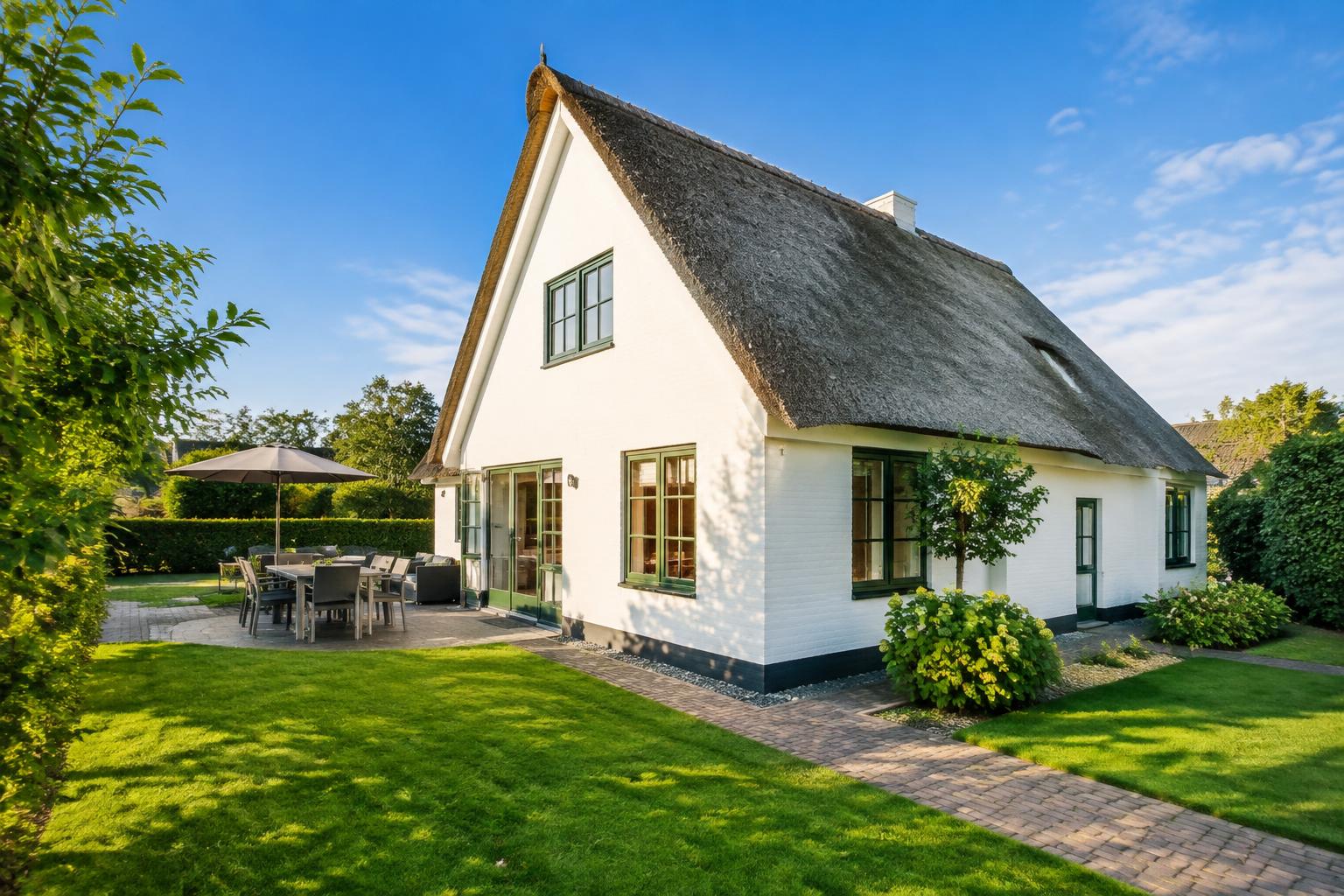
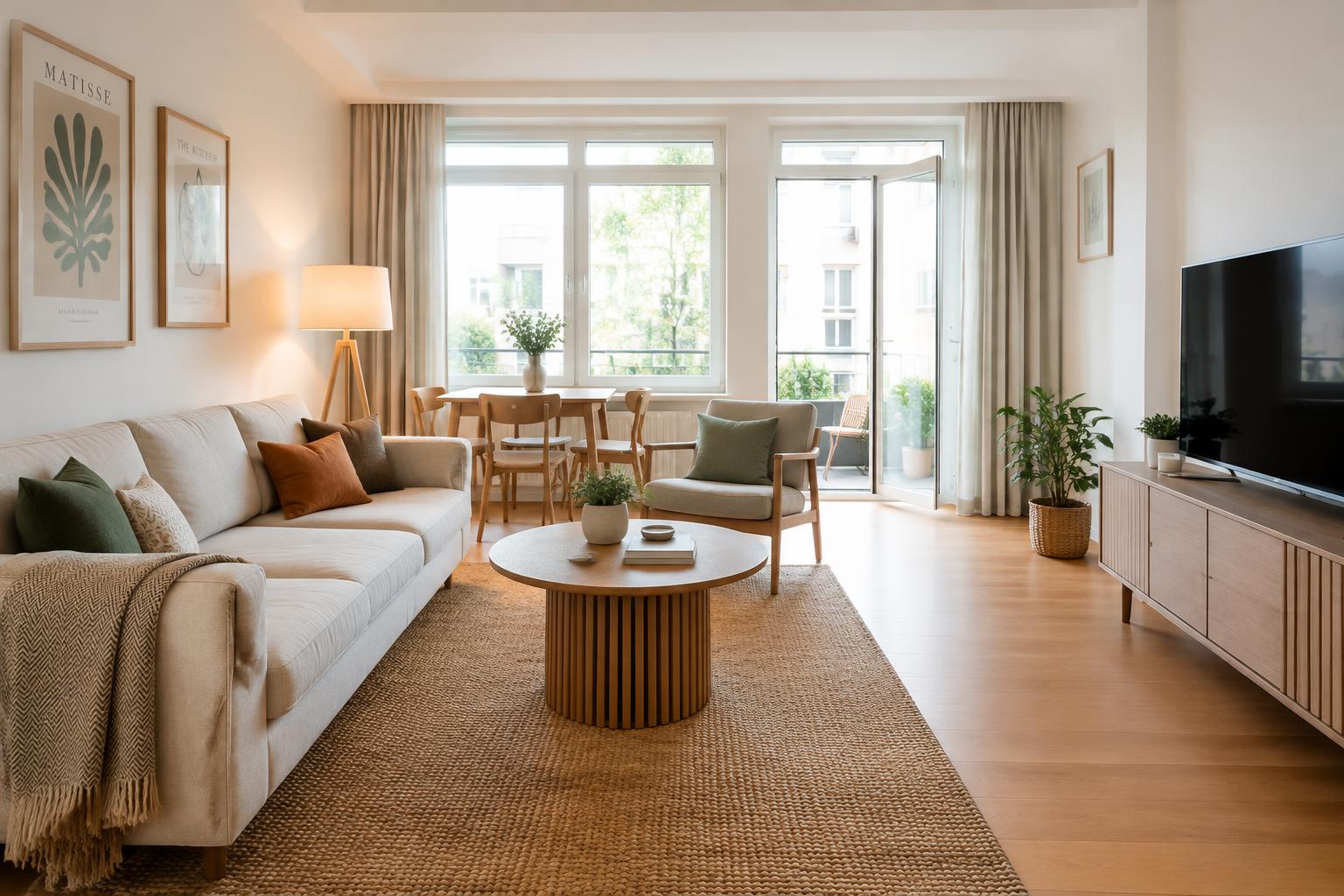
Real estate photo editing should correct how the camera captured your rental, not change what guests will find. Improve light, colour and perspective, but keep the layout, condition, amenities and surroundings truthful.
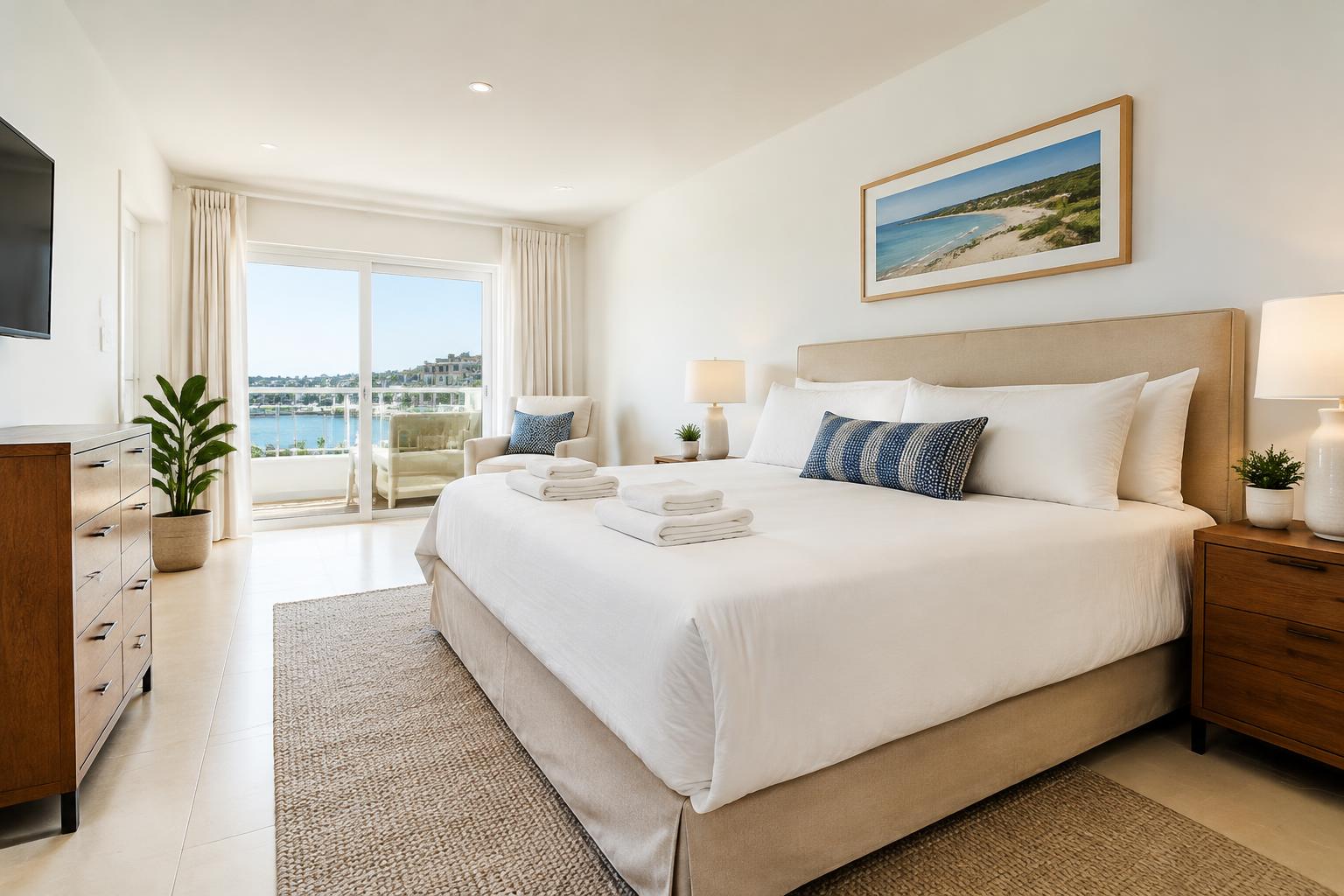
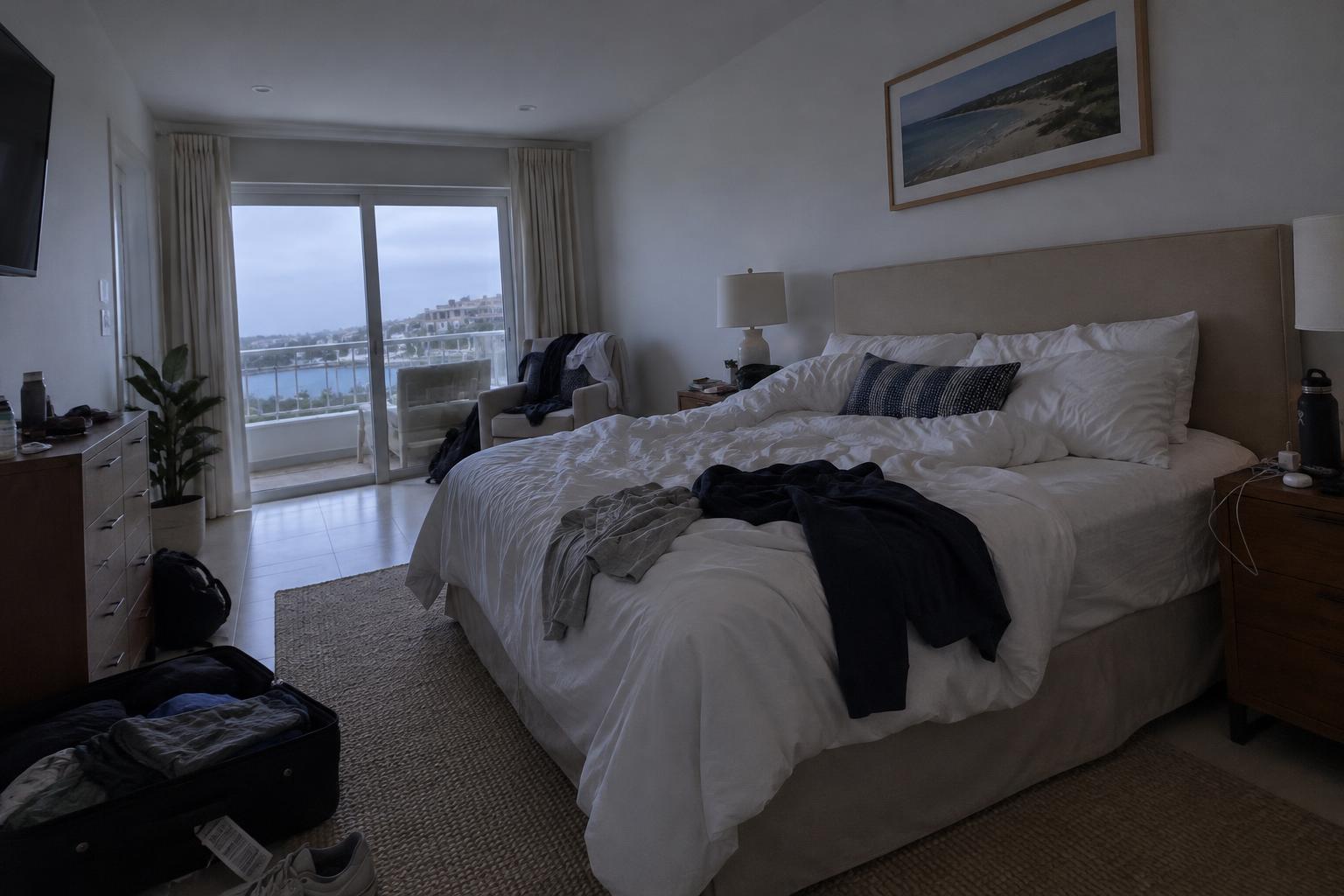 BeforeAfter
Real estate photo editing is fair when it helps a photo look more like the home guests will actually arrive at. It becomes misleading when it changes what they are booking, such as the size of a room, the view, the condition or the facilities.
With my own Airbnb, I use a simple test: would I feel comfortable showing a guest the edited photo while standing in that room? If I would need to explain away a missing building or a much wider bedroom, the edit has gone too far.
Correct the camera, not the property
A camera does not always record a room as your eyes see it. Windows can become bright white patches. White walls can look yellow under lamps. A slightly tilted phone can make door frames lean.
Correcting these problems can make a photo more accurate, not less. Fair edits include adjusting white balance, bringing back detail in shadows, straightening vertical lines and applying sensible sharpening.
The important word is sensible. Brightening a dark photo is different from making a naturally dim basement look flooded with daylight. Correcting a tilted wall is different from stretching the image until a narrow living room looks spacious.
In our 15 years in real estate, I have learnt that looking attractive and looking accurate need to work together. A rental photo sets an expectation about a stay, not just about how a room looks on a screen.
Before approving an edit, compare it with the actual space in similar conditions. Do the wall colours, floor finish and room proportions still feel familiar? If not, reduce the adjustment.
Light, skies and views need careful judgement
Lighting edits sit on a sliding scale. Lifting exposure so guests can see the furniture is usually straightforward. Adding sunlight across the floor where no direct sun reaches is not. That creates a feature of the room rather than correcting the photograph.
Colour needs the same care. A warm photograph should not turn grey bedding cream, or tired timber into something that looks newly finished. Guests may not describe the difference technically, but they can still notice it on arrival.
A blue sky can be a reasonable presentation choice if it changes only the weather shown. It should not remove neighbouring buildings, trees, overhead wires or anything else that is part of the setting. For a UK or Irish rental, it is also worth keeping the overall light believable rather than making every outdoor image look like midsummer abroad.
Window views deserve particular attention. Recovering a real view from an overexposed window is fair if the detail is available and accurate. Generating a guessed view is not. Neither is making a distant glimpse of the sea look like an uninterrupted waterfront outlook.
If an editor cannot recover the view reliably, leave it alone or take another photograph. A bright window is preferable to a convincing view that does not exist.
Remove temporary clutter, not inconvenient facts
Tidying is one of the most useful parts of editing, but only when the edited result matches your guest preparation.
Removing your coat from a chair or a laundry basket from the landing is reasonable if those items will be gone before check-in. Removing personal paperwork from a desk can also protect privacy without changing the accommodation.
Cables need a little more thought. A loose phone charger left during the shoot is temporary clutter. A permanent cable feeding the television is part of the room unless you actually conceal it safely. Do not create a spotless cable-free setup that guests will never see.
The same distinction applies to cleaning and repairs. If a mark on a mirror will be cleaned before every stay, removing it from the photograph can reflect the intended condition. If a sofa is stained, a wall has damp patches or a worktop is damaged, editing is not the repair.
Fix the issue first, then photograph the result. If work is only planned, wait until it is finished rather than presenting the future version as available now.
Do not remove equipment or features because they look awkward. A radiator, low beam, step or fixed handrail helps guests understand the space. It may matter much more to their comfort than a tidy composition matters to yours.
Never change what a guest is choosing
Some edits cross the line even when they look polished. Adding a dining table, a hot tub or a fireplace creates an amenity. Replacing basic furniture digitally with a more expensive style changes the standard guests think they are booking.
Room dimensions and layout should stay intact too. Avoid widening beds, raising ceilings or moving walls. Removing a door can hide how rooms connect. Cropping is not automatically dishonest, but it can mislead if every photograph carefully avoids a significant limitation.
For rental listings, I would avoid virtual furnishing in the main accommodation photos. Guests are choosing somewhere to sleep and spend time, not imagining how an empty property could be furnished. Show the furniture and equipment that will actually be available.
Keep practical details visible where they help someone decide whether the property suits them. These might include steps to the entrance, a sloping ceiling above a bed or the neighbouring balcony beside yours. Photos alone cannot explain accessibility, so describe relevant details clearly as well.
This principle applies across Airbnb, Vrbo and Booking.com. Check each platform’s current photo requirements before uploading, especially if you are considering illustrative images or substantial alterations. A caption is not a good substitute for an accurate main photo.
A practical checklist before publishing
Review the edited images alongside the originals, then walk through the property if you can. Ask these questions before putting them live:
- ✓Are the room proportions unchanged, including beds, doors and ceiling heights?
- ✓Do the colours match the walls, furniture and finishes guests will see?
- ✓Is the brightness believable for the room, rather than suggesting extra windows or direct sunlight?
- ✓Is every visible view genuine, with surrounding buildings and permanent obstructions intact?
- ✓Will any removed clutter also be absent when guests arrive?
- ✓Have stains or damage been physically resolved rather than digitally hidden?
- ✓Are all furniture, appliances and amenities shown actually included in the stay?
- ✓Do steps, fixed equipment and other important features remain visible somewhere in the listing?
- ✓Do close details still look natural, without warped handles, strange reflections or repeated textures?
Give the full set one final look. Individually modest edits can add up to an unrealistic impression if every room becomes brighter, wider and more luxurious. If you cannot tell whether a detail is accurate, keep the original or take a fresh photo.
How HouseBoost can help with honest editing
I co-founded HouseBoost to improve listing photos while keeping the home recognisable. It uses AI for brighter natural light, correct colours and white balance, straight lines, sharper detail, blue sky and visible views, and tidying clutter such as cables, clothes and personal items. It never invents things. The home stays the home, just at its best.
Basic costs €25 per property for up to 15 photos with a small HouseBoost watermark. Pro costs €50 per property for up to 50 photos, the same editing, a new listing text that sounds personal and an optional own watermark. Premium costs €250 per property and includes everything in Pro, a walkthrough video, your own wishes per photo, a manual check and photos within 24 hours.
Payment is one off per property, with no subscription. Results are usually ready within minutes, and upgrading later means paying only the difference. AI editing does not replace a photographer in every case. Whatever route you choose, approve only photos that remain a true representation of your rental.
Frequently asked questions
Is AI real estate photo editing misleading?
Not inherently. Correcting exposure, colour and tilted lines can make a photograph more accurate, but changing room sizes, adding amenities or hiding unresolved damage can mislead guests.
Can I remove clutter from my Airbnb photos?
Yes, if that clutter will also be removed before guests arrive. Do not digitally remove permanent fixtures or everyday equipment that will still be present during the stay.
Is replacing a grey sky with a blue sky acceptable?
It can be a fair presentation edit if only the weather changes and the surroundings remain accurate. Keep the lighting believable, and never remove buildings or obstructions as part of the sky edit.
Can I use virtually furnished photos for a holiday rental?
For the main listing photos, show the actual furniture guests will use rather than a digitally furnished version. Check your booking platform’s current requirements before including any illustrative images.
About the author
Boyd Minnebo
Co-founder of HouseBoost. 15 years in real estate and runs his own Airbnb.
LinkedIn ↗